Jig is the rules a repository’s AI coding agents follow, the step-by-step procedures they run and the checks their work must pass.
As a harness, it carries each change from pickup to merge. What one session learns, the next one keeps.
A jig for AI coding agents: modular delivery practices, shared skills and gates, and an auditor that scores your repository.
You don't adopt all of it: 17 independent modules, each at three levels. A one-person project starts with three modules at Lite. Every practice is a tool-independent rule first, mapped to your tools second.
Ten minutes: what it is, what it never does, and how far a team like yours should go.
Start with an audit. It scores your repository against every module and says what to do first.
/jig:auditTyped in Claude Code. In Codex, ask for the jig:audit skill by name.
What a team says when nothing holds the work.
Each line opens one of Jig's features. Follow it to what Jig does about it.
- “Nobody can say how far we have come, or whether the rule we ‘always follow’ still holds.”An audit of where you stand →
- “The review bot left forty comments and someone lost the afternoon to them.”A work item carried from pickup to merge →
- “At six the line stops. Assigned items wait for someone to open a session; a drive that hit a usage limit waits for morning.”A line that runs with nobody at the keyboard →
- “The migration got the same quick look as the typo fix. Then the bot and the agent argued over one finding for two days.”Review in tiers, with an arbiter for contested findings →
- “The session worked something out at two in the morning. By nine it was gone.”A learning loop built into the process →
- “We settled that last month. The agent argued it again and went the other way.”Decisions recorded, found again, and turned into checks →
- “The plan read well in the meeting. The first agent to build it found that the table it assumed did not exist.”Design and planning grounded in the repository →
- “The pull request looked fine, merged, and main went red.”Gates that ship with their tests, each on a named rung →
- “Three agents opened three pull requests, and all three edited the changelog. Each merge put the other two in conflict.”Change notes, and a changelog nobody fights over →
- “Two agents on one machine started their servers on the same port, and last month’s worktrees fill the disk.”Workspaces for many agents on one machine →
- “We copied the scripts and typed our gate command and tracker labels into each one. Every upgrade since has been a merge by hand.”One configuration file, read in layers →
- “Three agents used three names for one thing, and the docs described a design we dropped in the spring.”Documents that say what is true now →
- “The framework wanted every practice on day one, and a two-person repository does not need forty rules.”Adopt one module at a time, sized by a profile →
A pull request of Jig's own, from opening to follow-up.
The change: each stage of the line moves the workspace's card on the Orca board. Every event below comes from the pull request or the dispatcher's own records, at the station of the line where it happened.
· Open
an agent: An agent opens the pull request as a draft, with the change and its tests.
Record: the pull request's timeline
· Drive
Run by a skill: drive-pr: The review drive claims the pull request and starts its rounds, unattended.
Record: the drive's claim comment
· Drive
Run by a skill: drive-pr: The first round answers the reviewers' 13 findings, and the drive marks the pull request ready for review.
Record: the pull request's timeline
– · Drive
Run by a skill: drive-pr: The rounds go on. The drive answers 28 more findings, 27 accepted with a fix and 1 rejected with its reason.
Record: the review threads
· Drive
Run by a skill: drive-pr: At round 11 every thread has an outcome and the checks pass. The drive stops, converged.
Record: the drive ledger
· Drive
the dispatcher: Main has moved, and the pull request now conflicts with it. The dispatcher's timer run finds the converged drive stale and starts a new drive.
Record: the dispatcher's receipt and launch record
· Repair
Run by a skill: drive-pr: The new drive merges main into the branch and resolves the conflicts.
Record: the merge commit
– · Drive
Run by a skill: drive-pr: In rounds 12 and 13 the reviewers raise 7 findings on the merged code. The drive accepts each one with a fix.
Record: the review threads
· Drive
Run by a skill: drive-pr: The drive stops again, converged, and the outcome log records the second drive as converged.
Record: the outcome log
· Merge
Run by a persona person: A person merges the pull request.
Record: the pull request's timeline
an agent: A follow-up started by hand claims the merge with a marker comment on the pull request.
Record: the follow-up marker
the dispatcher: The dispatcher sees the claim and starts no second follow-up.
Record: the dispatcher's receipt
an agent: The follow-up finds main's link check failing, because a design note merged just before links the old path of a script this pull request moved. It opens a fix and marks its run done. #420
Record: the follow-up marker and the fix's pull request
the dispatcher: The dispatcher reads the done marker and labels the pull request followed up.
Record: the dispatcher's receipt
· Merge
Run by a persona person: A person merges the fix. #420
Record: the fix's pull request
Agents run the line. Scaffolding holds the work.
A software factory takes work in a standard form, passes it through the same stations and checks every time, and measures what comes out. Jig’s factory is one line, and agents run most of its stations. An agent takes a work item from the issue tracker, builds it and opens a pull request. The review rounds then run with nobody watching, and a bounded repair round settles a red build or a conflict with the base. A person merges. A follow-up then settles what the merge leaves open.
With nobody at the keyboard, the dispatcher keeps the line moving. It restarts a review that stopped on something a machine can settle, and tells a person about each stop only a person can settle.
The line stands on agent scaffolding, and building it is most of what Jig provides:
- Contextwhat an agent knows when a session starts: instruction files in layers, rules that load only where they apply, a glossary, and what each kind of change implies.
- Verificationguides that steer an agent before it acts, and checks that stop what slips through, with CI as the authority. Each rule names how hard it is to skip.
- Knowledgedecisions, facts and lessons kept in the repository, so the next session starts where the last one ended. A significant miss becomes a tested check.
The dispatcherstarts stations 1, 4 and 7 when nobody is at the keyboard · a person merges
↺ the learning loop wraps both parts · follow-ups re-enter at 1
machines, environments, deployment, monitoring. What the repository needs from it
In the morning, one page says what needs you.
Through the night the dispatcher keeps the line moving. Every few minutes it starts what should be running and is not. It never merges.
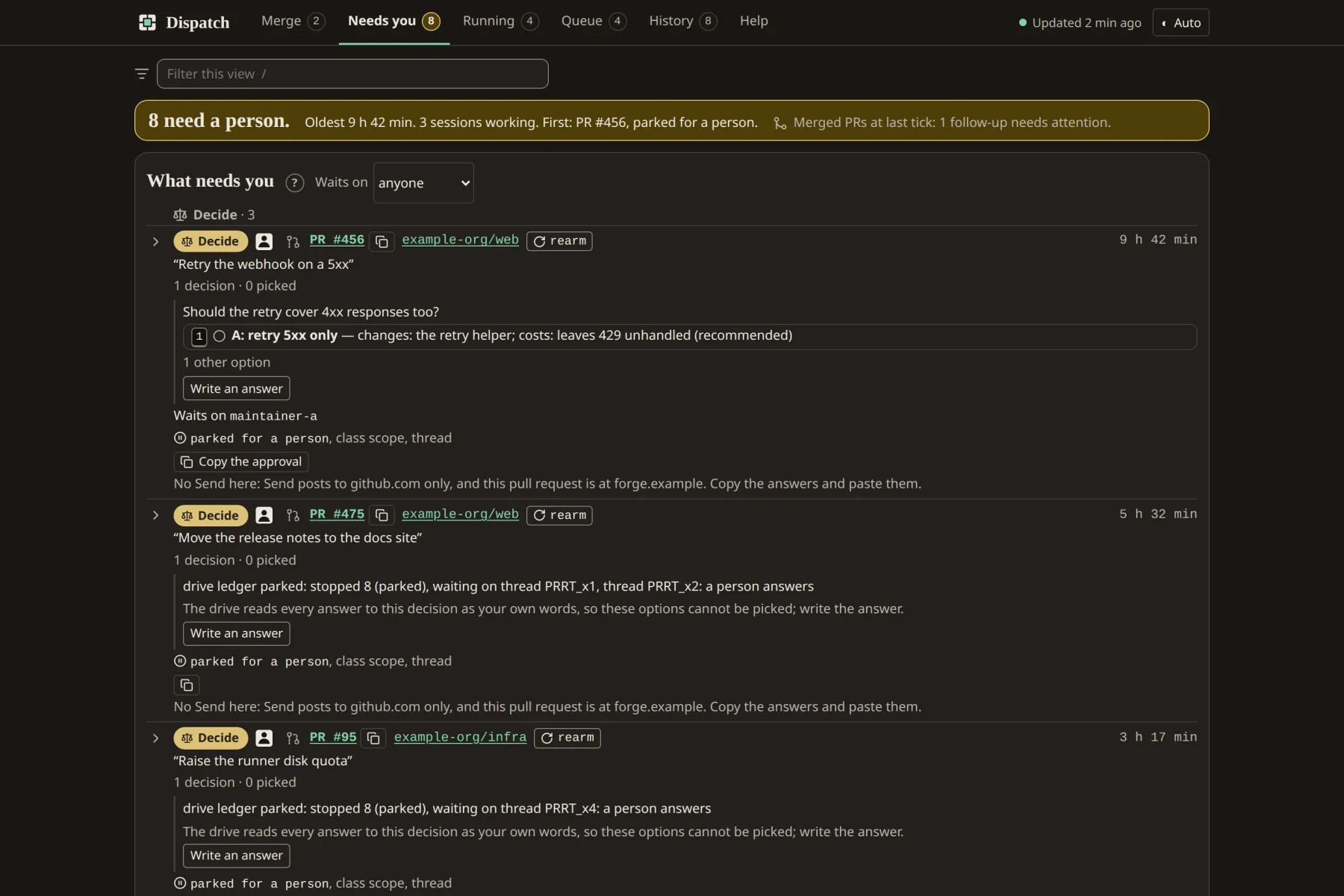
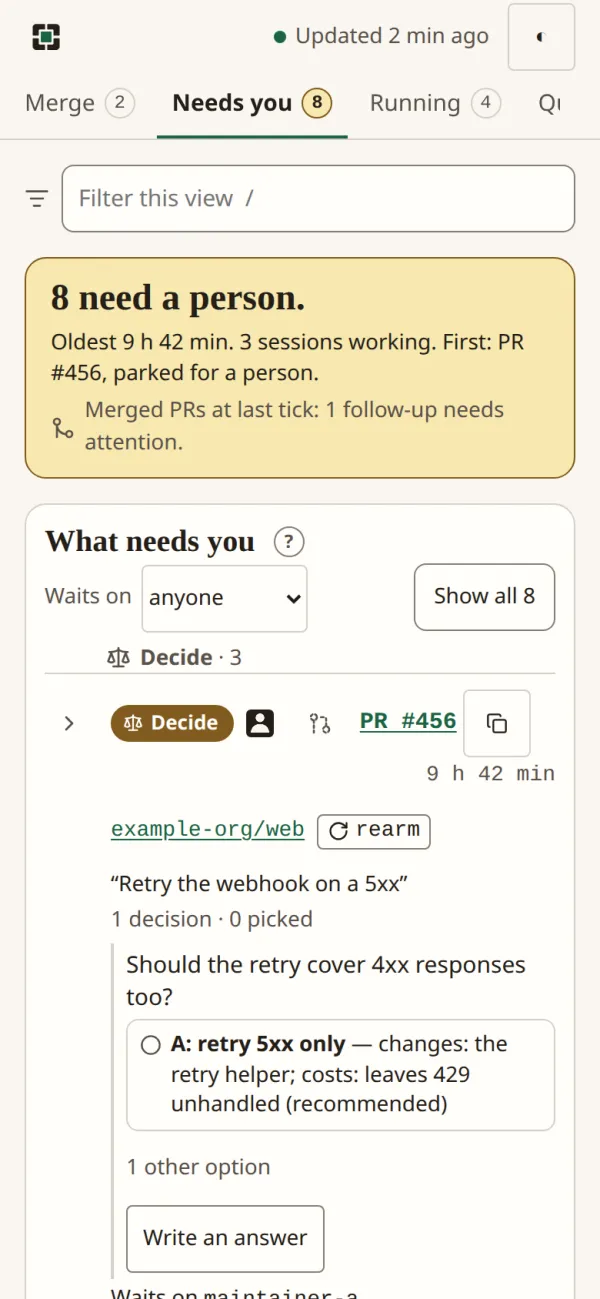
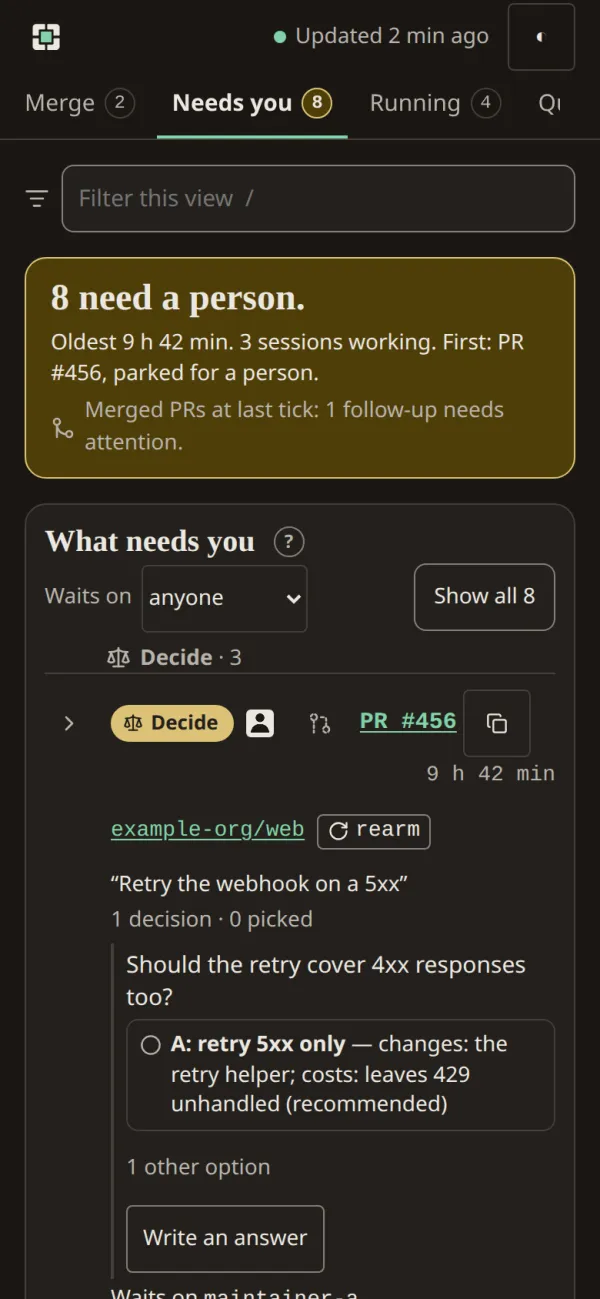
Its dashboard opens on pull requests ready to merge, or on what needs you when none are ready. Each question a review stopped to ask has the recommended answer beside it.
Separate views show the sessions each account runs, what starts next and how each session ended. The page opens on a phone as well as a desk. Its server only reads. The page can send a parked decision's answer as you, with a token you keep in that browser, after a confirmation; otherwise you answer on the pull request it links to.
The dispatcher: what it starts, and what it never does →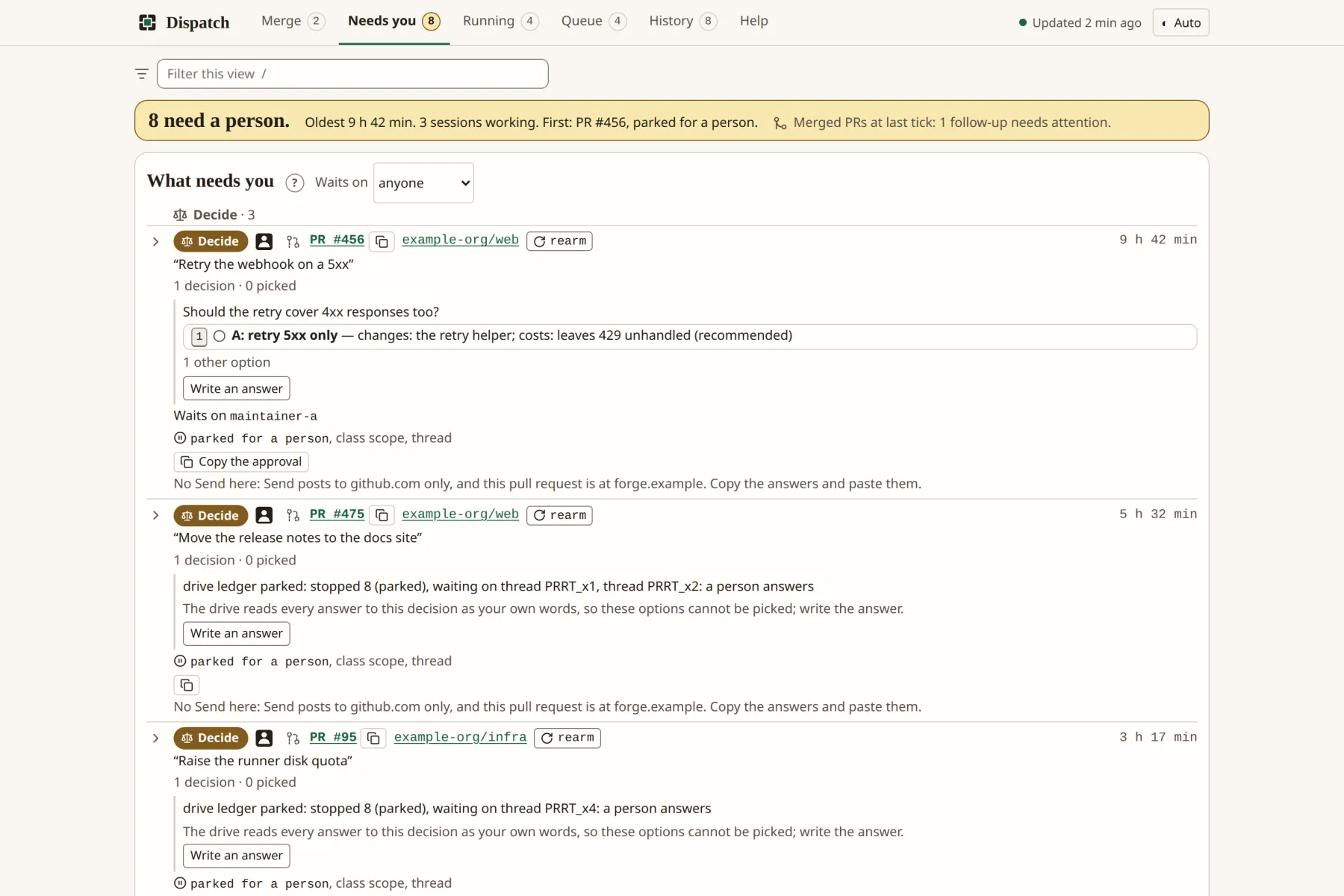
All of Jig, and how much of it you need.
Jig is 17 modules, one per practice; an adopted module can reach one of three levels: Lite, Standard, Strict. The map shows every module at every level; pick a profile and the cells it fills are the levels a team like yours aims for. The rest is there when the answer changes.
A one-person project fills three cells. Nobody fills them all: a module you don't need is a row you skip.
The full map: every level named, and the skills that run each module →Solo/Lite targets 3 of 17 modules. Team/Standard targets 11 of 17 modules. Regulated/Strict targets 14 of 17 modules. target · only when a stated condition holds.
What Jig never does. A person stays on the decisions that matter.
- A person merges. No skill merges or approves a pull request.M7 invariant · drive-pr
- Nothing an audit recommends is applied by itself: your team marks each choice and hands the decisions to an agent.the audit experience
- Changes an agent proposes to its own rules wait for a human to approve them.principle 5 · M8
- Promotion to production is a manual, gated human action that cannot auto-fire.M10 invariant
- An automated reviewer blocks nothing until its measured precision clears a bar set in advance.M7 invariant
Every rule names how hard it is to skip.
A rule can live anywhere from a sentence in a doc to a check that blocks the merge. Jig asks each rule where it lives today and what would promote it. The audit scores exactly that, so "we always do X" and "something fails if we don't" stop looking the same.
Principle 4 — Enforcement-ladder discipline →Three profiles. Answer one question.
Graduate when the answer changes — profiles are stages, not identities.
What you get first: an audit sheet of where you stand.
The jig:audit skill scores your repository against every module's criteria and renders one self-contained HTML page. Nothing is applied: you mark each recommendation, copy your decisions, and hand them to an agent as one block of text.
A template, an upgrade path, a reference, or tooling you never copy.
- 1Greenfield templateStarting a new project: follow the greenfield guide, which combines a structured kickoff methodology (seeds/project-kickoff/) with day-one module adoption.
- 2Brownfield upgradeImproving an existing project: start with an audit (
/jig:audit) that scores the repository against the module map and produces a prioritized, actionable report, then adopt modules one maturity level at a time (the adoption guide). - 3ReferenceCherry-pick a single pattern (e.g., generated-artifact freshness gates) from its module.
- 4Shared toolingUse Jig’s agent skills in any repository without copying them: install the
jigplugin once per machine for Claude Code or Codex and commit only your repository’s values. See the plugin page.
One command, then one module at a time.
Install the plugin, run the audit, read the sheet. The audit writes only its own record; nothing else in your repository changes until you choose what to adopt first, and the profile you pick says how far to take it.
/jig:auditTyped in Claude Code. In Codex, ask for the jig:audit skill by name.